Case Study
Car Care Inc.
Car Repair Work Order Application
Duration
8 weeks
Platform
iPad App
Role
UX Designer
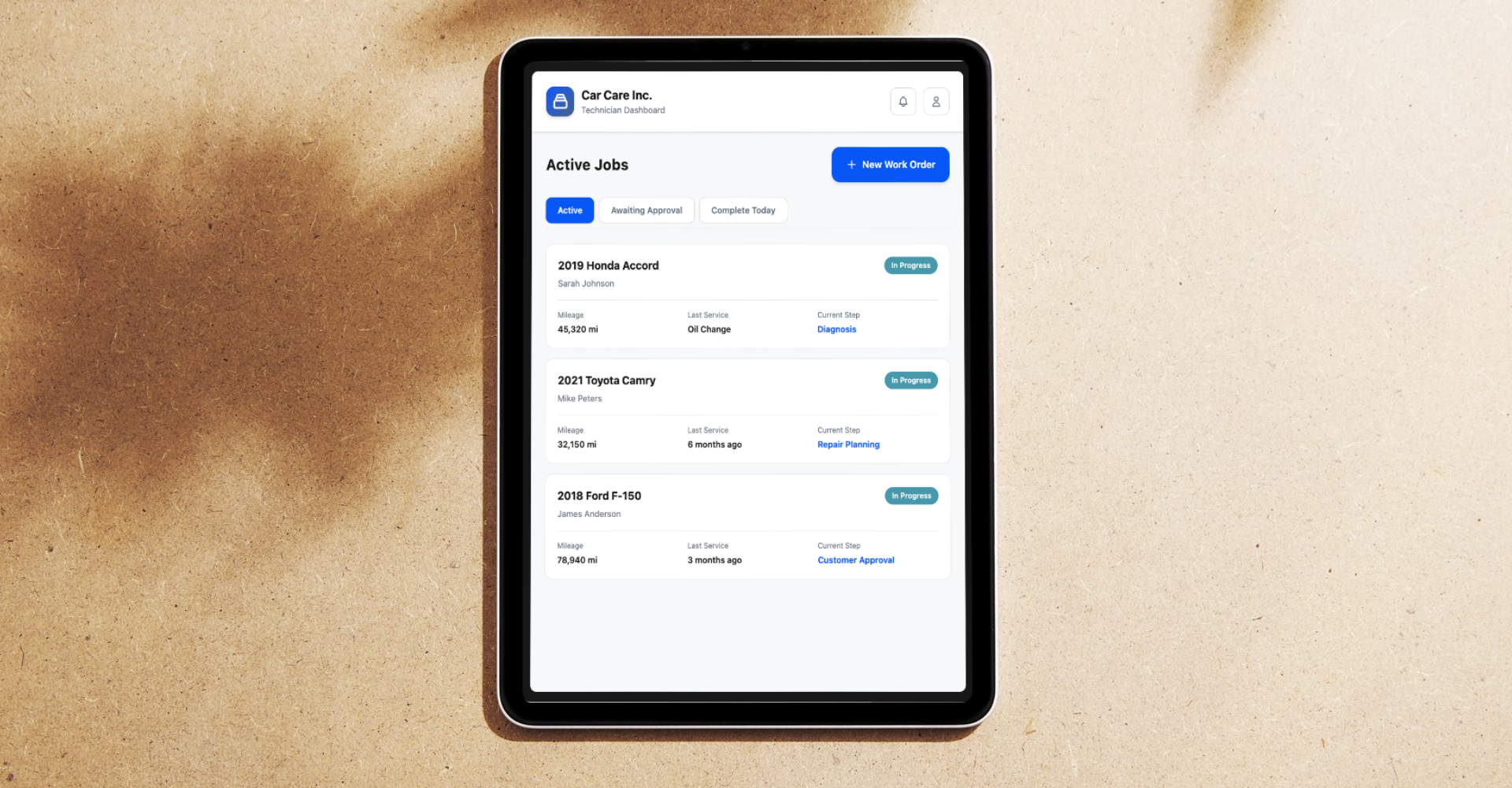
Overview
Digitizing the repair workflow
Car Care Inc. needed a purpose-built iPad app for their auto repair technicians. The goal was to replace paper-based work orders and fragmented desktop tools with a single, touch-optimized application that follows the natural repair workflow - from vehicle check-in to customer sign-off and billing.
I led the UX design over 8 weeks, from user research and competitive analysis through wireframes, visual design, and an interactive prototype. The result: an app that reduced documentation time by 60%.
The Problem
Senior technicians spend 30–45 minutes per work order typing vehicle details, diagnoses, and customer communications - taking them away from actual repair work.
Research & Discovery
Industry pain points & UX opportunities
Pain Points
- Too much manual documentation - technicians spend significant time writing repair notes
- Repeating the same information - common issues documented from scratch every time
- Switching between systems - paper forms, desktop software, and digital tools break flow
- Slow customer approvals - waiting for customers creates idle time
- Parts lookup friction - multiple steps and system switches required
UX Opportunities
- Guided workflows - step-by-step flows that reduce decisions and mental load
- Quick-select inputs - pre-populated options for common repairs and parts
- Visual documentation - photo capture and annotation to minimize typing
- Real-time summaries - auto-generated customer-facing summaries from technician input
- Digital sign-off - in-app approval flow to eliminate delays and paper
Design Goals
Three core principles
Minimize Typing
VIN scan + smart templates to cut manual entry drastically.
Fast Customer Sign-off
Photos + digital signature for fully paperless approval workflows.
Work Offline
Sync automatically when connected. Zero data loss in the workshop.
Competitive Audit
Landscape analysis
Shopmonkey
Mobile technician tools, digital inspections with photos
Tekmetric
VIN scanning, mobile check-in workflows
RepairShopr
Touchscreen signatures on invoices
Mitchell 1
Deep parts catalog integration
Opportunities to Improve
Fewer taps: Quick-select complaint chips vs. open text fields
Voice notes for techs with low typing comfort
Offline-first architecture and plain-language customer summaries
Primary User
Meet Bob - Senior Technician
15 years experience. Values efficiency over features. The interface must feel intuitive from the first tap.
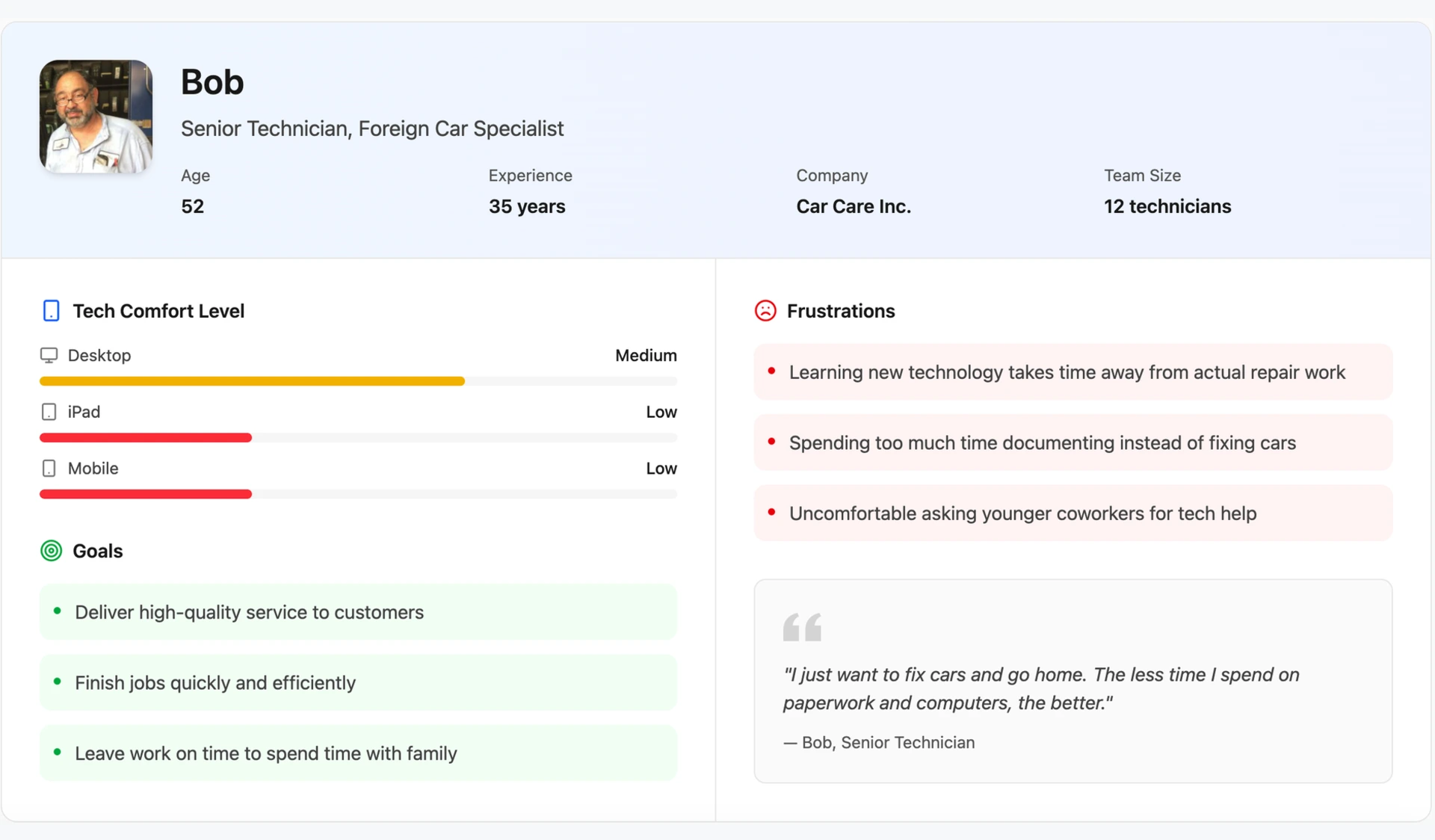
Goals
- Complete work orders fast
- Document with photos
- Easy customer sign-off
Frustrations
- Too much typing
- Offline access failures
- Repeat data entry
Design Implication
Bob needs maximum efficiency with minimal learning curve. Success means completing documentation faster than his current method, without feeling like he's "learning software."
Information Architecture
Technician workflow overview
Breaking down Bob's daily workflow into four key task flows the iPad app must support.
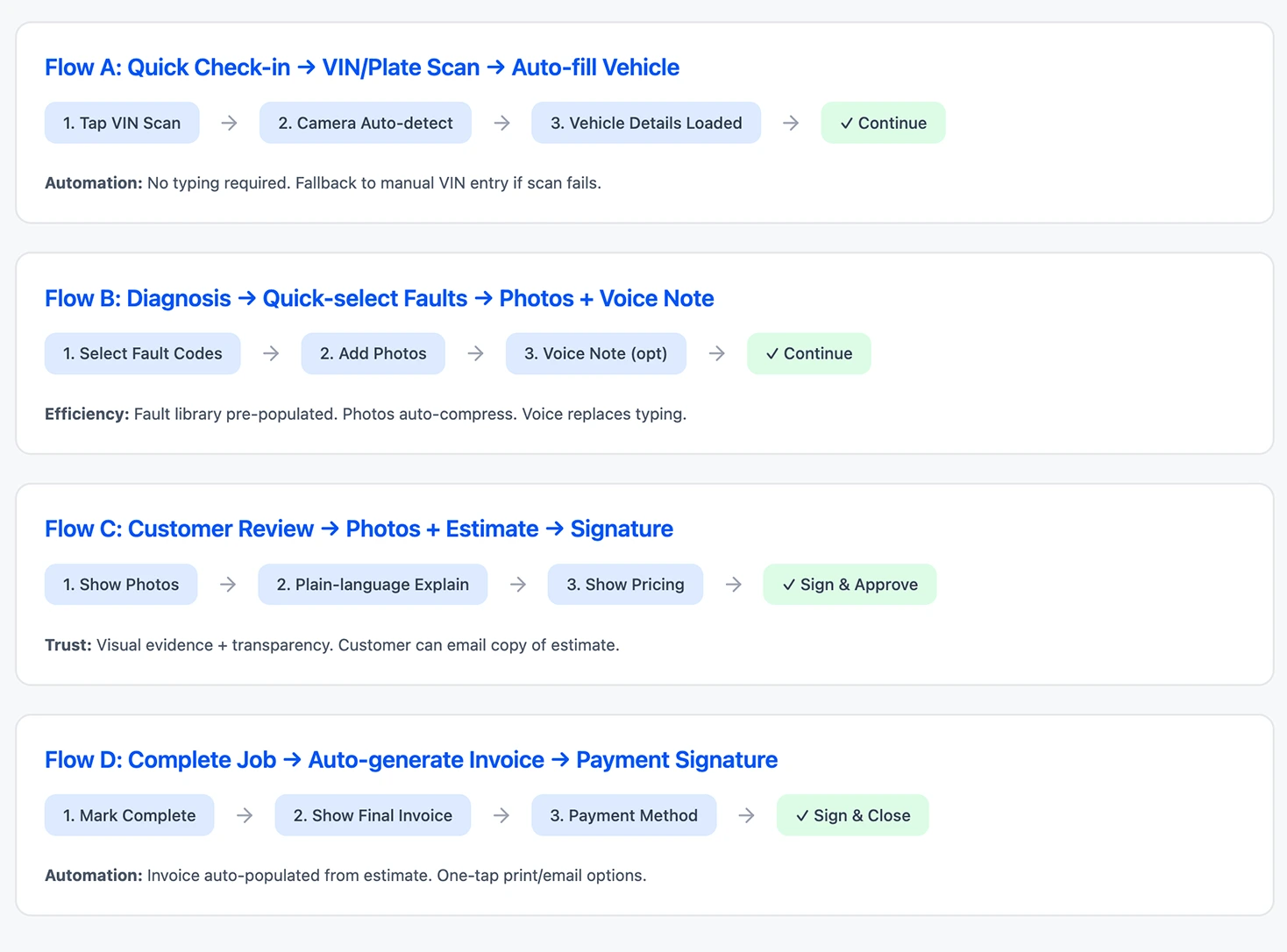
Flow A
Quick Check-in
VIN/Plate Scan → Auto-fill Vehicle Details
Flow B
Diagnosis
Quick-select Faults → Photos + Voice Note
Flow C
Customer Review
Photos + Estimate → Digital Signature
Flow D
Complete Job
Auto-generate Invoice → Payment Signature
Design Direction
UX design principles
Core principles guiding every design decision for the workshop environment.
Minimize Typing
Smart defaults, pre-populated options, voice input
- Quick-select menus for common repairs
- Auto-complete for parts and services
- Template-based descriptions
Maximize Quick-Select
Taps, toggles, and selections over typing
- Checkbox lists for common issues
- Visual part selectors
- One-tap status updates
Guided Workflow
Clear direction at every stage
- Step-by-step indicators
- Clear next action buttons
- Progress visualization
Reduce Cognitive Load
Simplify decisions, minimize on-screen options
- Show only relevant options per step
- Smart field ordering
- Hide advanced features by default
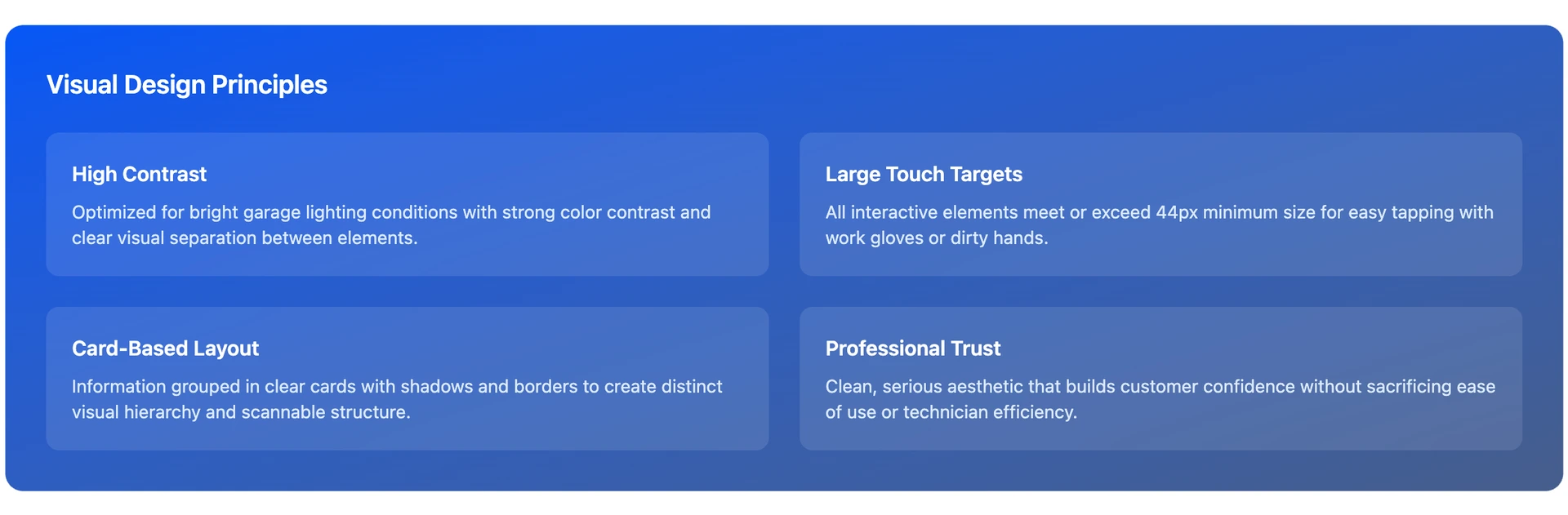
Workshop-Ready
Gloves, bright lights, outdoor conditions
- Large touch targets (48px minimum)
- High contrast UI elements
- No small text or controls
Fail-Safe Documentation
Never lose data, auto-save frequently
- Auto-save every action
- Offline capability
- Clear save status indicators
Speed First
Every interaction optimized for the fastest possible completion time
Zero Learning Curve
Intuitive enough to use immediately without training or documentation
Workshop-Ready
Designed specifically for the physical constraints of automotive repair environments
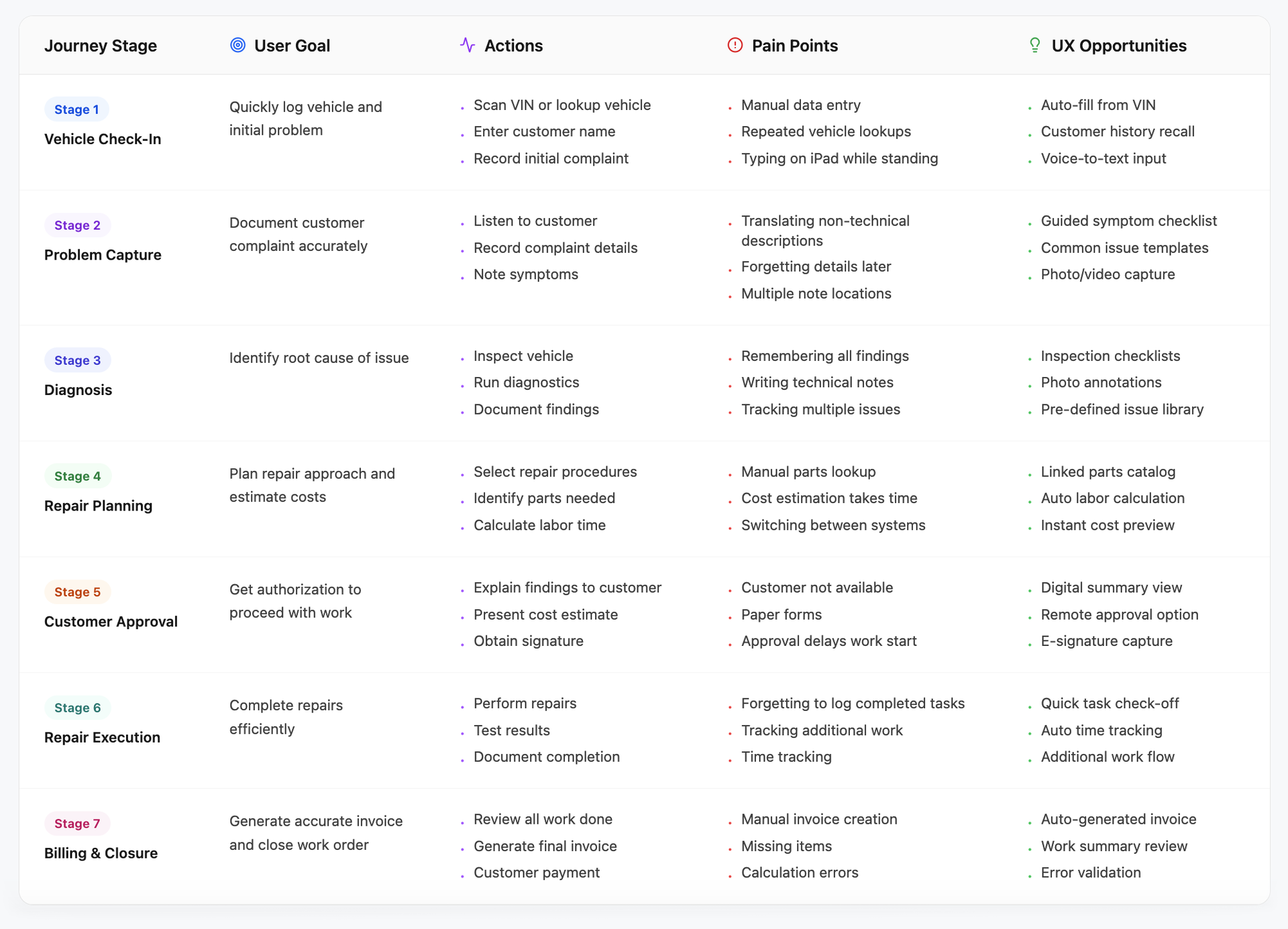
User Journey Mapping
End-to-end: Check-in to billing
Mapping Bob's complete experience through a typical work order.
Low-Fidelity Wireframes
iPad wireframes - flow-driven UX
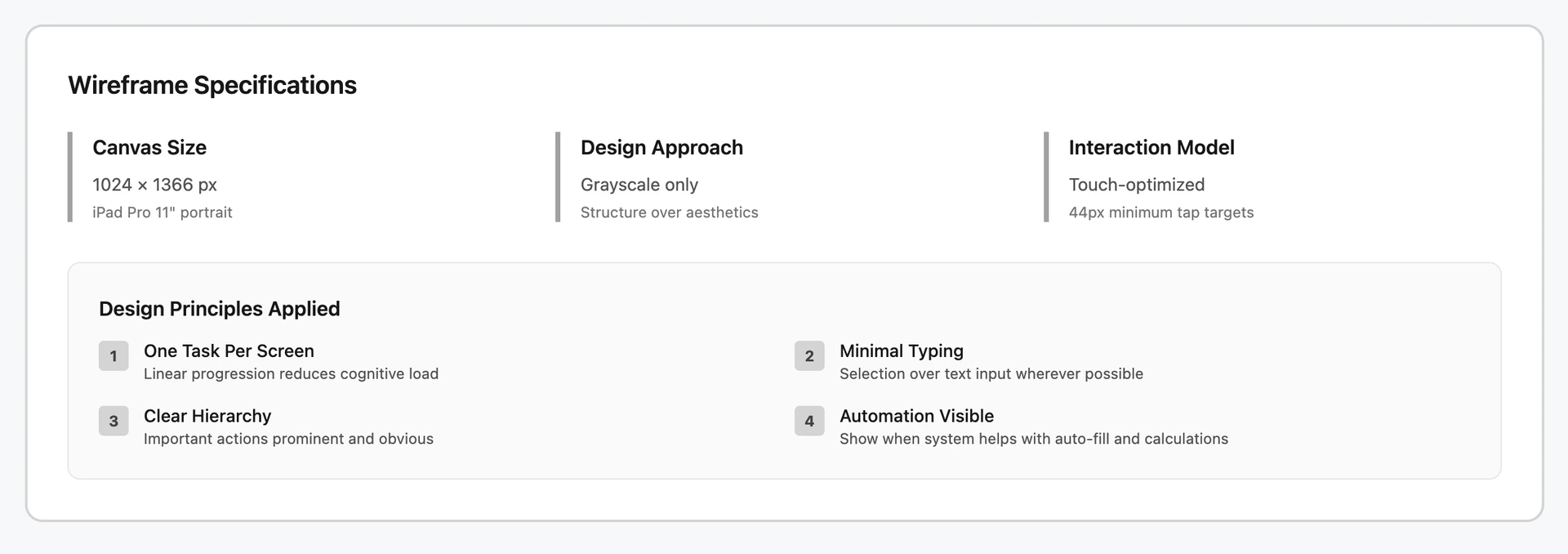
Translating user journeys into iPad-optimized screen structures. Canvas: 1024 × 1366 px (iPad Pro 11"), touch-optimized with 44px minimum tap targets.
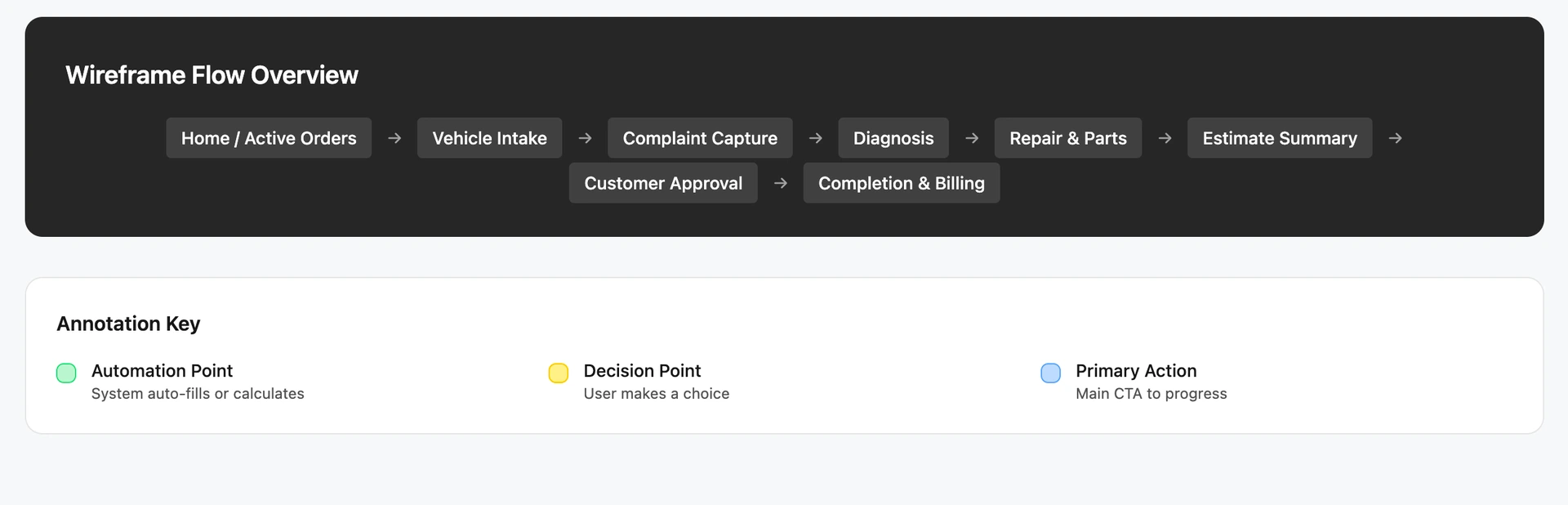
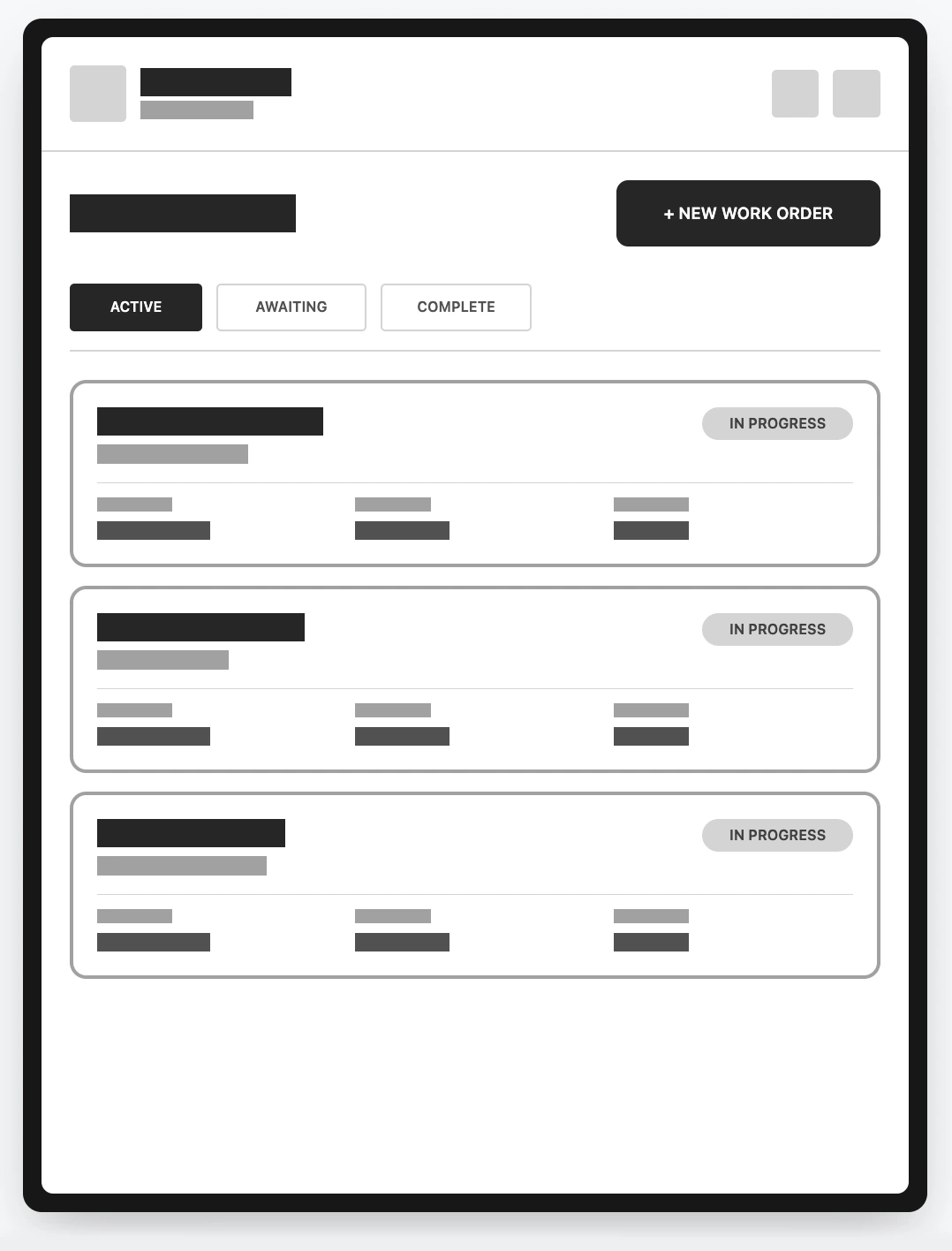
Screen 01 - Home / Active Work Orders
Dashboard showing all active jobs for quick access and status visibility.
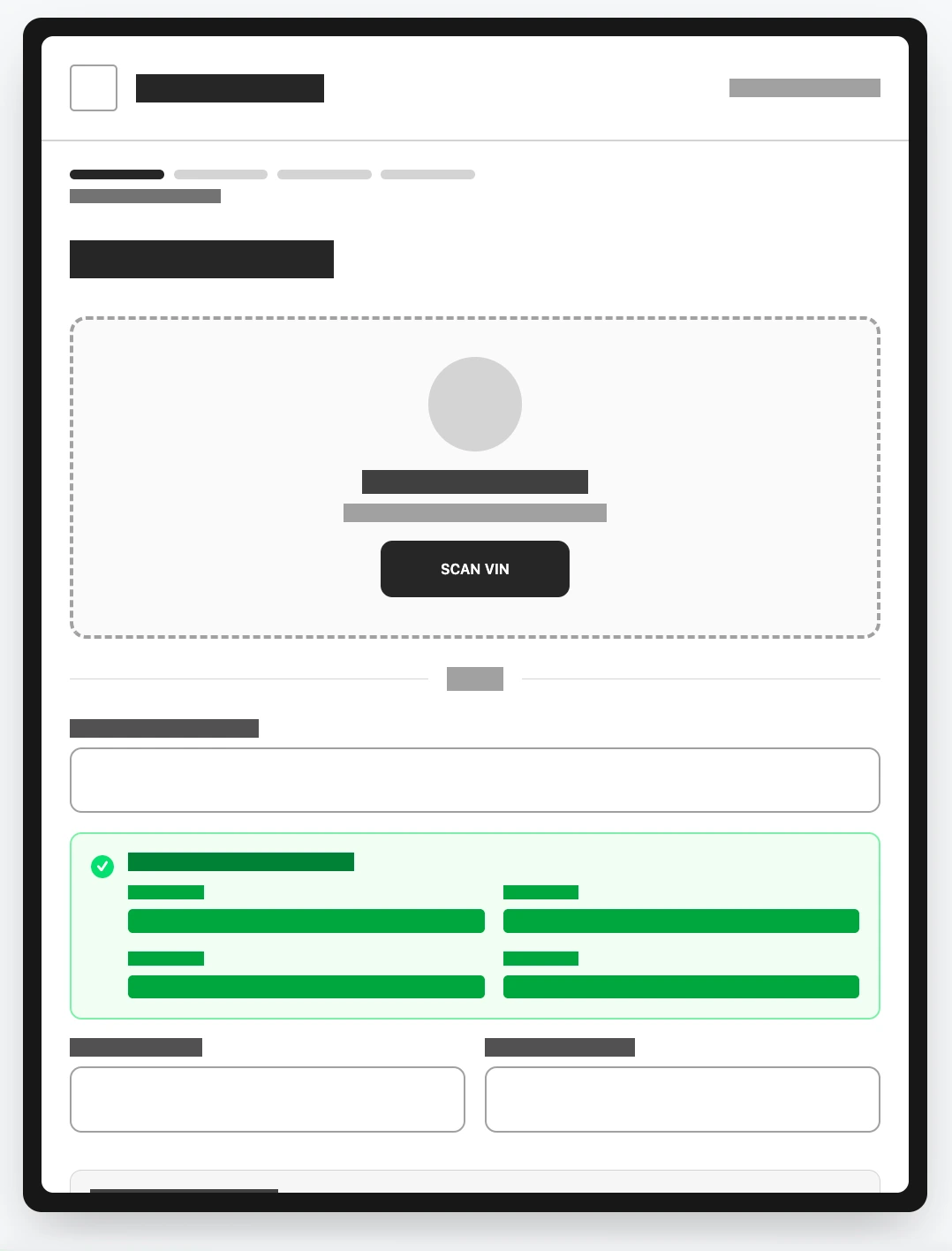
Screen 02 - Vehicle Intake
Quickly capture vehicle details using VIN scan with auto-fill capabilities.
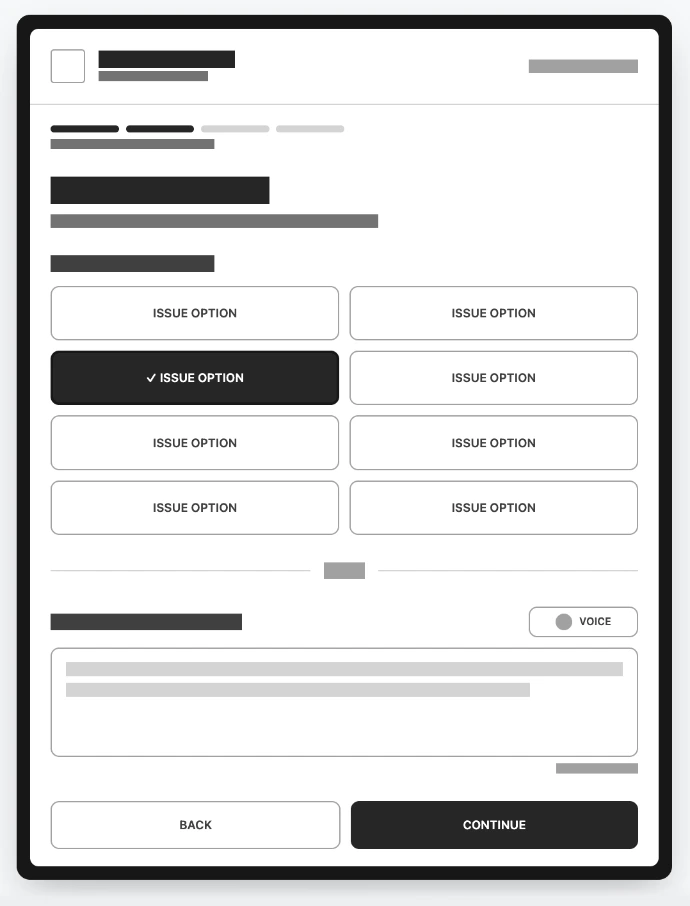
Screen 03 - Customer Complaint Capture
Record initial customer complaint using quick-select or voice input.
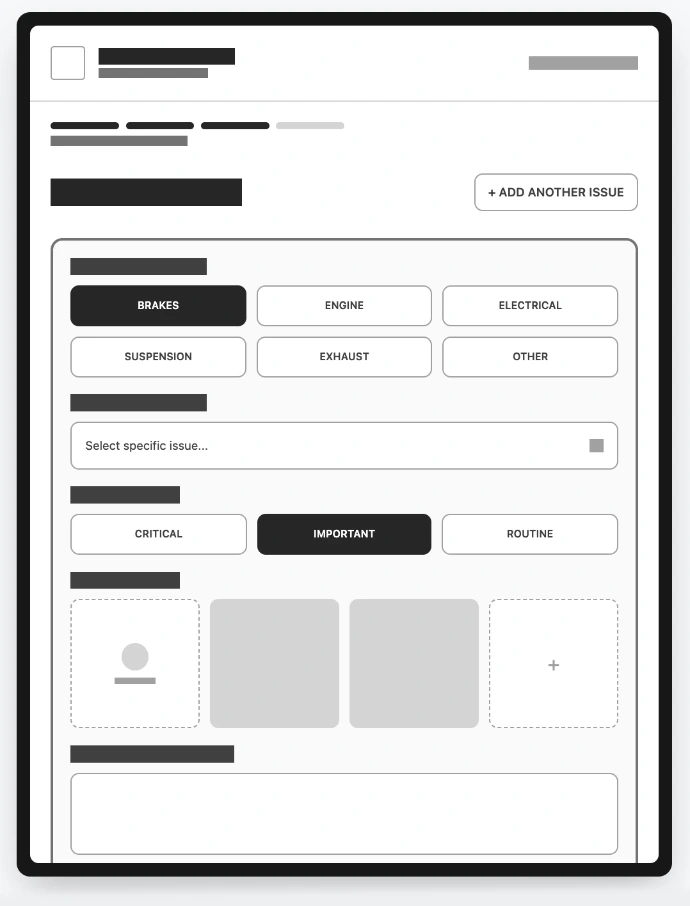
Screen 04 - Technician Diagnosis & Findings
Document actual problems found using structured fault selection and photo capture.
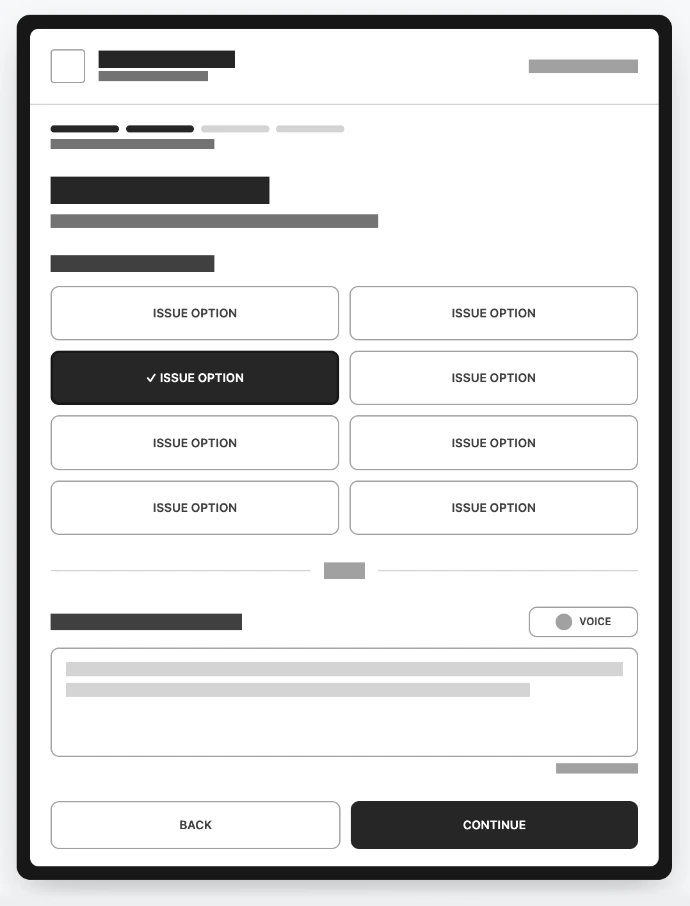
Screen 05 - Repair Actions & Parts
Select repair procedures and required parts with integrated catalog and pricing.
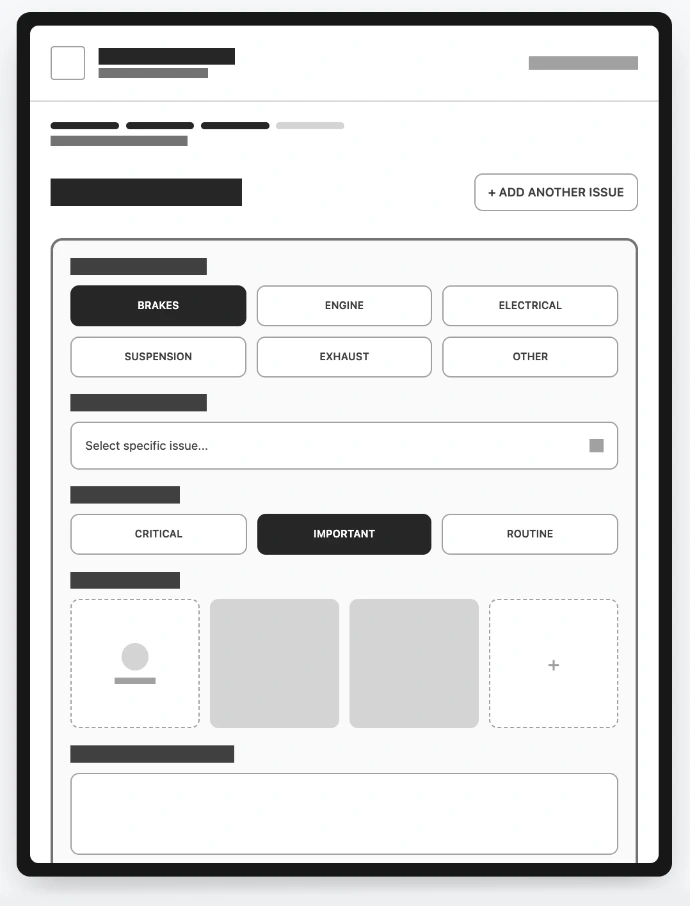
Screen 06 - Repair Summary & Estimate
Complete cost breakdown ready for customer review with automatic totals.
Screen 07 - Customer Approval
Customer-facing view with digital signature capture for work authorization.
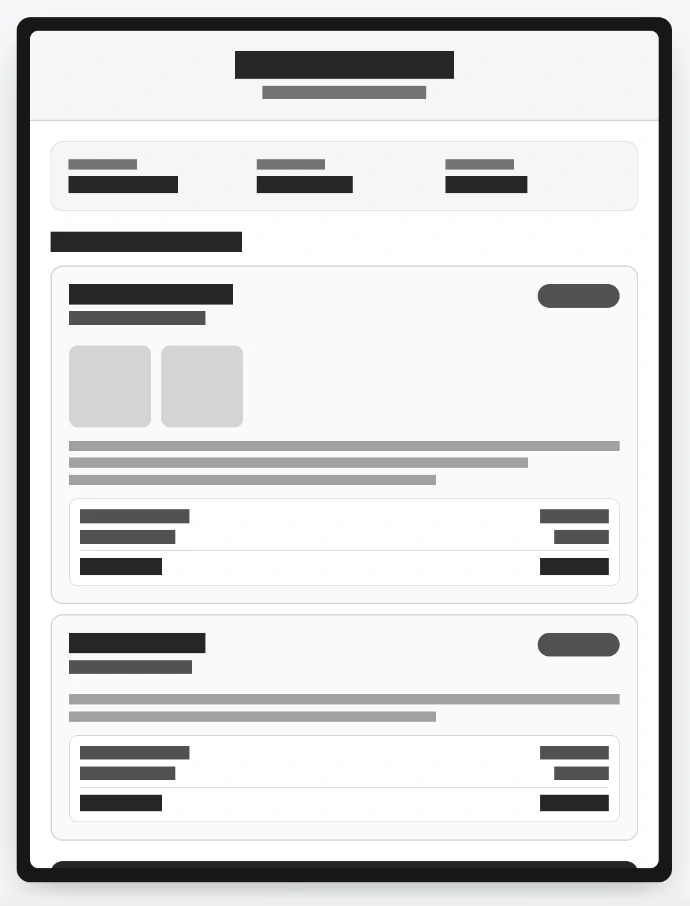
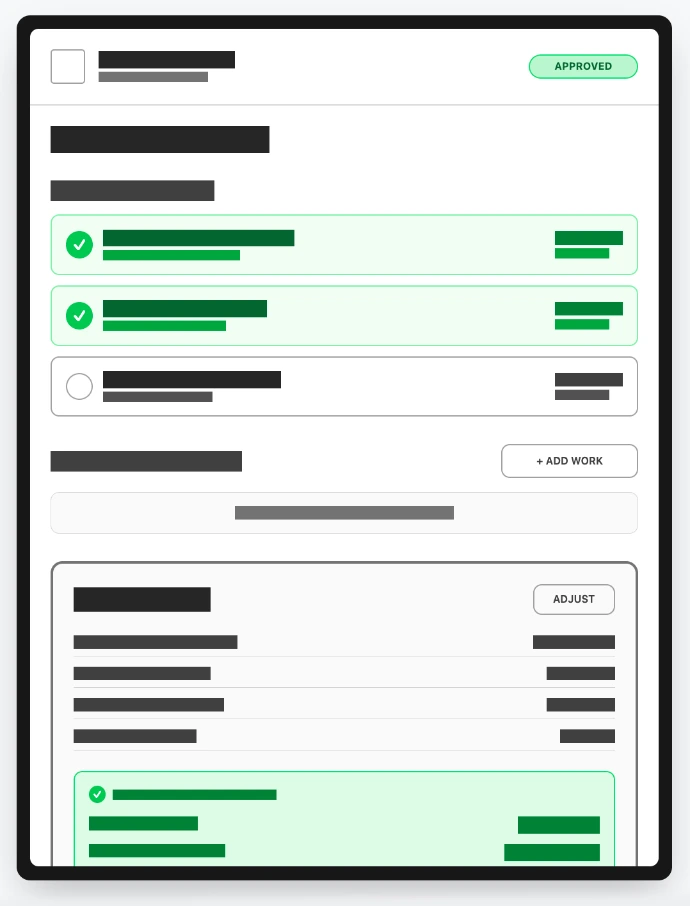
Screen 08 - Job Completion & Billing
Final invoice generation and work order closure with automated billing.
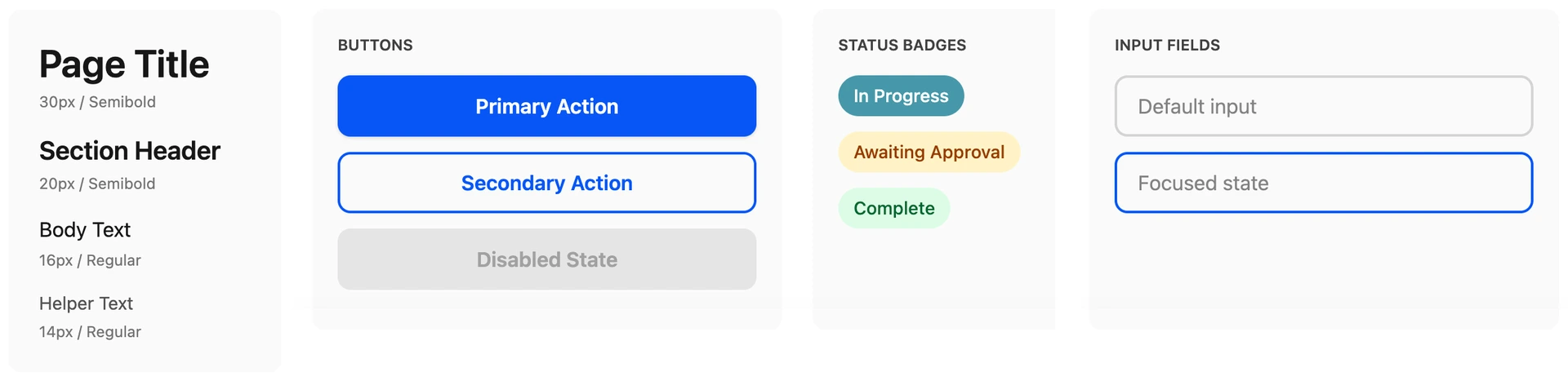
Visual Design System
Production-ready iPad experience
Applying the Car Care Inc. visual identity to the validated wireframe structure.
Brand Colors
#0656f6
Primary Actions
#465d8b
Secondary Emphasis
#4698aa
Progress & Highlights
#f7f8fa
App Background
High-Fidelity Designs
Production-ready screens
Fully branded screens with Car Care Inc. colors, large touch targets, and workshop-optimized contrast.
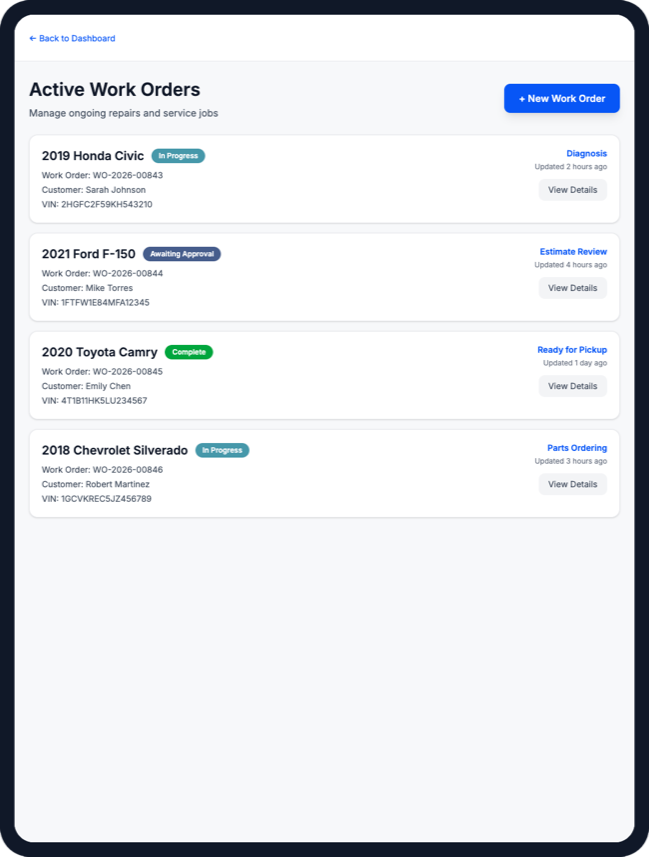
Work Orders
Dashboard showing all active work orders with status badges and quick actions
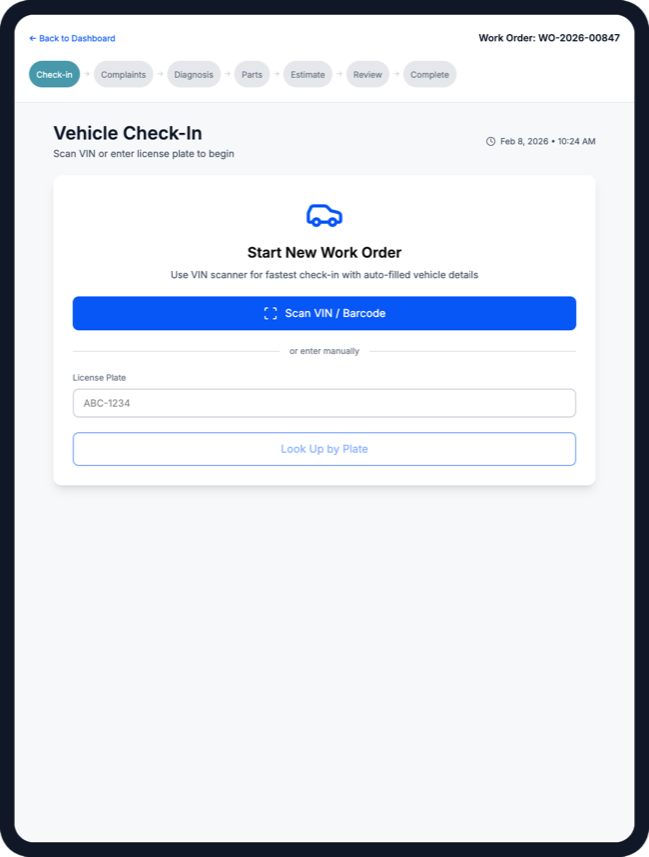
Check-in
VIN scanner auto-populates vehicle details, reducing manual data entry
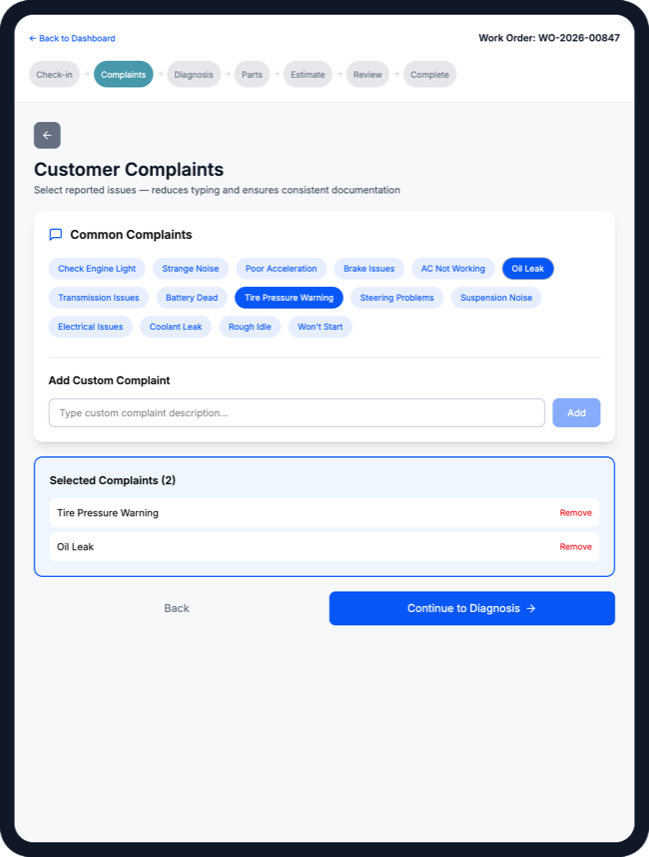
Complaints
Pre-populated complaint categories with tap-to-select, eliminating typing
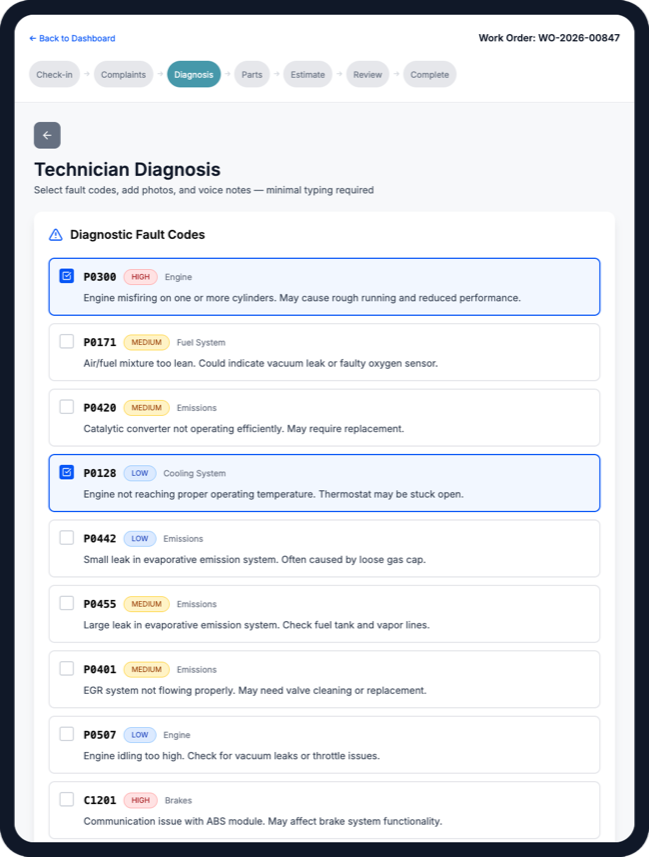
Diagnosis
Visual documentation with photo annotation and voice notes for low-typing workflows
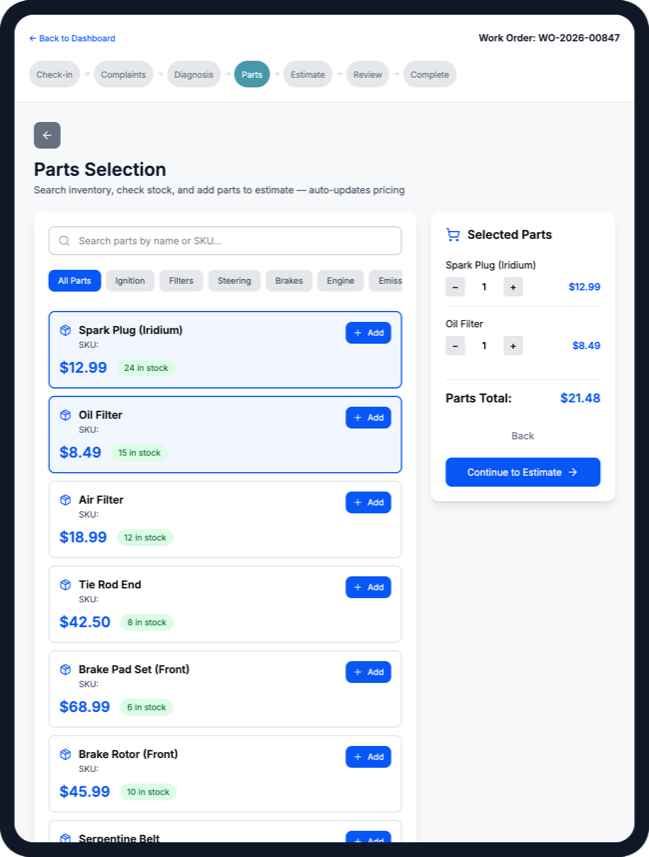
Parts
Real-time stock visibility with supplier comparison and one-tap adding
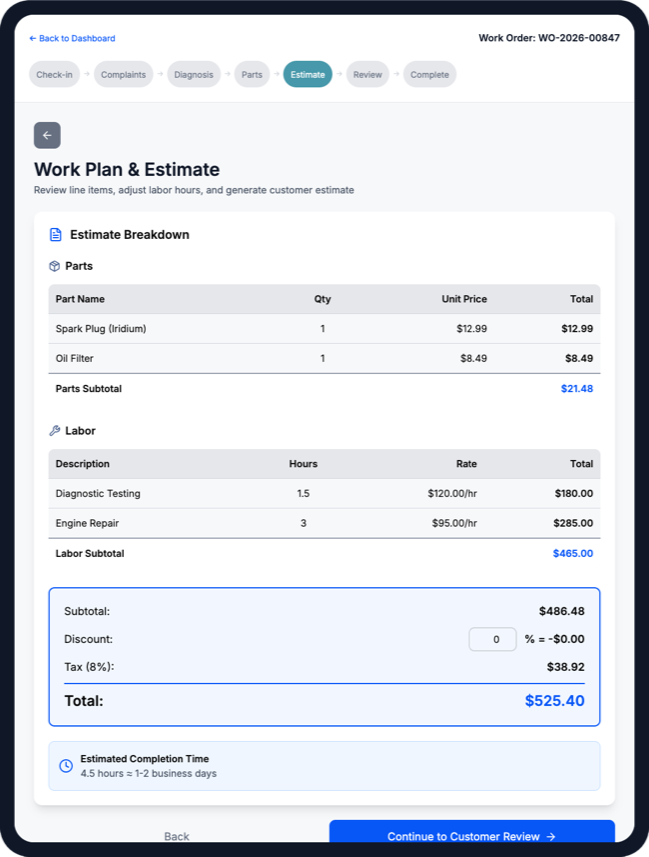
Estimate
Auto-calculated estimate with adjustable labor hours and transparent pricing
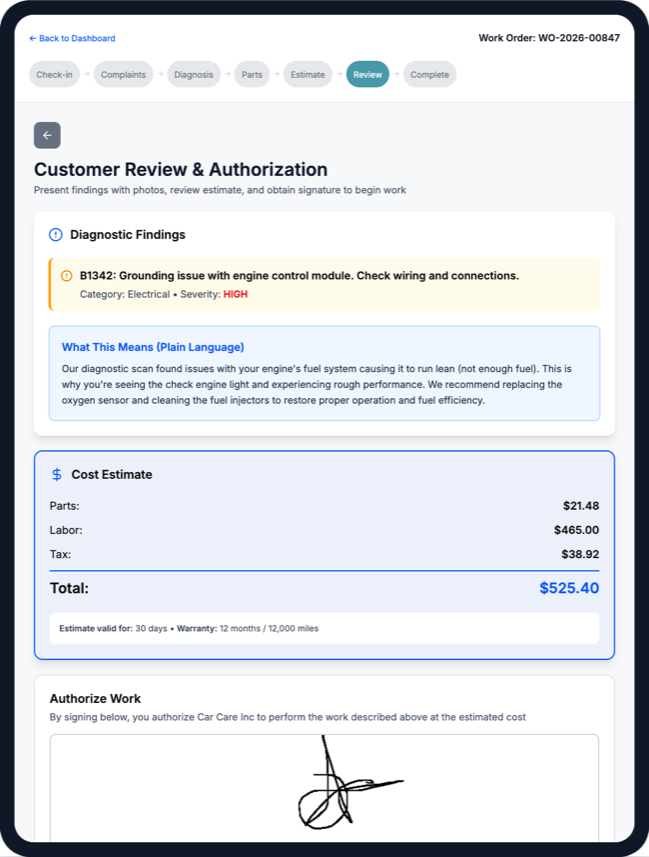
Review
Visual proof with plain-language explanations and digital signature capture
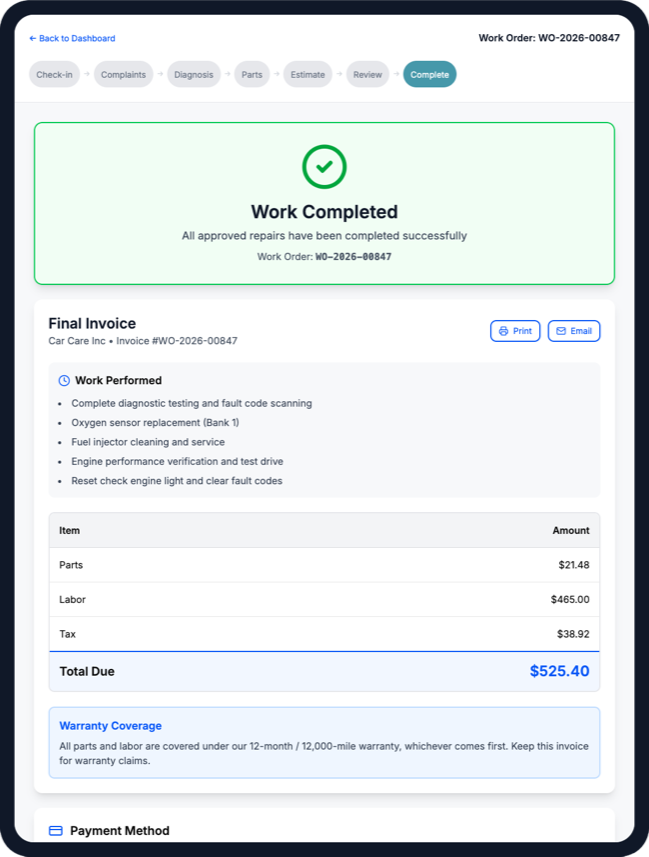
Complete
Final invoice with payment method selection and completion signature
Interactive Prototype
Prototype walkthrough
End-to-end work order flow from vehicle intake through billing and job completion.
Success Metrics
Measurable impact
60%
Reduction in documentation time
From 45min → 18min per work order
4 taps
From check-in to diagnosis
VIN scan + quick-select complaints
95%
Customer approval rate
Photos + plain language = trust
Reflection
This project taught me that the best enterprise tools feel invisible. Bob doesn't want to "use an app" - he wants to finish his work order and get back under the hood.
The key insight was treating the iPad as a clipboard replacement, not a computer replacement. Every design decision was filtered through one question: "Would Bob use this with greasy hands in a noisy workshop?" If the answer was no, we simplified further.